

National Roaming in Ukraine: How to Call When Your Operator Is Not Working

According to Мінцифра: What to do if you find yourself in a situation where your operator is not working, and you urgently need to contact someone or use mobile internet? Fortunately, there is a solution - national roaming. This means that you can connect to another Ukrainian operator's network to make a call or send a message.
How to do it? It’s quite simple.
How to connect to another network when your operator has no signal
During power outages and constant attacks on energy infrastructure, base stations may struggle to deliver mobile service. National roaming is the quickest solution when you need to call relatives or emergency services, and your operator's mobile network is not working.
Thanks to national roaming, Ukrainians can switch between operators and use basic mobile services - calls and text messages.
How to connect to another operator's network
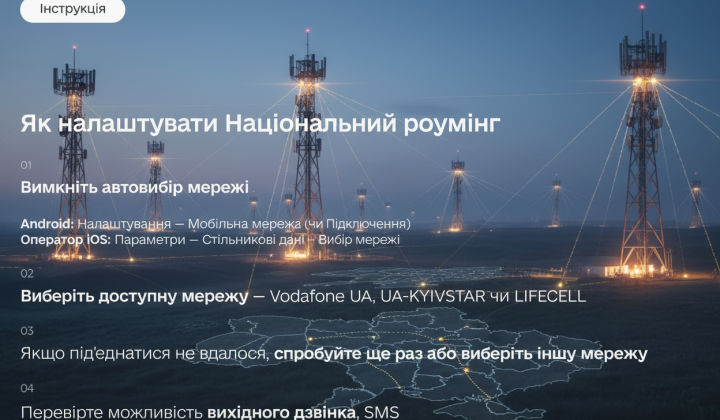
- Turn off automatic network selectionAndroid: Settings - Mobile network (or Connections) - OperatoriOS: Settings - Cellular Data - Network Selection.
- Select an available network - Vodafone UA, UA-KYIVSTAR, or LIFECELL.
- If you can’t connect, try again or select another network.
- Check the ability to make outgoing calls, SMS.
Once a day, try to switch back to your operator's network to reduce the load on others. Save this post and stay connected.
So, if your operator is not working for technical reasons, do not panic. Try to connect to another operator's network via national roaming to ensure you have access to communication and don't lose the ability to contact your loved ones or call for help in emergencies.

Read also