

Effective Solutions and Preventive Tips for Fixing Drift and Malfunctions in PlayStation, Xbox, and PC Controllers

Common Issues with Gaming Controllers
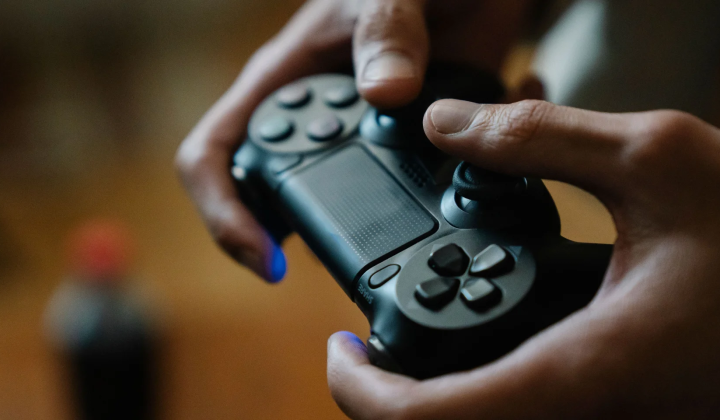
According to НВ — Техно: Controllers have become essential tools for both console and PC gamers, yet over time, they often develop various functional problems. Whether it’s official PlayStation or Xbox controllers or third-party alternatives, wear and tear can cause malfunctions. One of the most frequent issues is analog stick drift, where the stick registers movement without any user input. This typically happens due to worn-out potentiometers or dust accumulation inside the stick module. To address drift, try the following steps:
- Blow compressed air around the stick;
- Clean the base of the stick using isopropyl alcohol;
- Allow it to dry thoroughly.
If these cleaning methods don’t fix the problem, adjusting the dead zone settings within the game or console software can help reduce unwanted stick movement.
Besides drift, button-related issues often arise gradually. Problems like stiffness, loss of tactile feedback, repeated inputs, or unresponsive buttons are common. Sticky residues from sugary drinks or dirt trapped beneath rubber contact membranes are usually to blame. To clean buttons safely:
- Turn off the controller;
- Remove the battery;
- Use a cotton swab dipped in alcohol to clean around the button edges.
For a more thorough cleaning, disassemble the controller, wash the plastic buttons in warm soapy water, and wipe the rubber contacts with alcohol. After reassembling, test the buttons using a diagnostic program.
Connectivity and Trigger Troubleshooting
Modern controllers connect via Bluetooth or proprietary wireless channels, but connection problems can occur due to low battery levels or interference from metal objects and Wi-Fi devices. To restore a Bluetooth connection:
- Remove the controller from the device’s paired list;
- Put the controller into pairing mode;
- Reconnect it.
If this process fails, connect the controller with an official USB cable to update firmware or reset settings using the hidden Reset button.
Triggers, which detect pressure levels, may also malfunction-signs include looseness, squeaking noises, loss of sensitivity, or sticking at full press. To clean triggers:
- Use compressed air to blow out debris;
- Apply contact cleaner spray.
Mechanical trigger defects typically require part replacement, while internal sensor issues are best handled by professional repair centers.
Vibration motors, responsible for immersive haptic feedback, can fail entirely, work on only one side, or produce rattling sounds. Note that vibration consumes the most power, and it often disables or weakens when battery levels drop below 25%. If vibration stops despite a full charge, this may indicate wiring problems or loose motor mounts.
Regular maintenance extends the lifespan of your controller. Recommended care includes:
- Wiping the exterior with alcohol wipes weekly;
- Using compressed air monthly to clear crevices;
- Checking for firmware updates every three months.
Store controllers in cool, dry areas away from direct sunlight and dust. Repairing a controller makes sense if it’s under two years old, issues can be fixed through cleaning or inexpensive parts replacement, and repair costs stay below half the price of a new unit. For devices older than three years with multiple hardware failures, investing in a new controller is usually more practical.
Since controllers play a crucial role in delivering a smooth gaming experience, understanding how to maintain and troubleshoot them can significantly prolong their usability. Gamers should stay informed about typical faults and remedies to avoid unnecessary expenses and ensure optimal performance. As gaming technology continues to evolve, knowledge of controller upkeep becomes increasingly valuable for players at every skill level.

Read also