

Why You Should Power Off Your Laptop at Least Once a Week


How Continuous Laptop Operation Affects Performance and Security
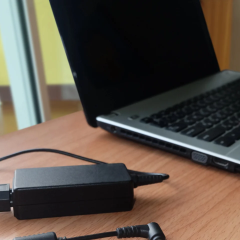
According to НВ — Техно: Running a laptop without shutting it down for extended periods can seriously harm its performance, security, and hardware health. Over time, zombie processes pile up and drain system resources, gradually slowing things down. For instance, a Windows laptop that hasn’t been restarted in a week might take 3–4 seconds to open a browser instead of the usual 1 second. According to the article’s author,
“a laptop is technically capable of running for a very long time without being turned off,”
but that doesn’t mean it’s a good idea.
Security risks also come into play when Windows updates are left unapplied. Most security patches require a reboot to take effect, making regular restarts essential. Experts recommend restarting your laptop at least once a week, as this can make a noticeable difference in system performance.
Sleep Mode and Hardware Wear
While sleep mode is convenient, it has its downsides. A laptop in sleep mode can lose between 3% and 7% of its battery charge over 8 hours, and that loss can climb to 8–15% over a full day. In contrast, a full shutdown drains less than 1% of the battery over the same period. This suggests that for overnight breaks, it’s better to either shut down completely or use hibernation.
As for hardware, constant operation wears down fans, thermal paste, and the battery itself. A typical lithium-ion battery degrades after 300–500 full charge cycles, losing up to 20–25% of its original capacity. Keeping it constantly at 100% charge accelerates this degradation. Modern Apple laptops and some Windows models include a feature that limits charging to 80%, which can help extend battery life.
To keep your laptop in good shape, follow these tips:
- A weekly reboot is the bare minimum and works well for most users.
- Sleep mode is great for short breaks during the day, but for longer pauses, choose between a full shutdown or hibernation.
- If your laptop is always plugged in, enable the 80% battery charge limit if available.
- Don’t skip system updates, as they’re key to maintaining security.
As the article’s author notes,
“a laptop is not a server or a light bulb that can be left on forever.”
Following these simple guidelines can significantly extend your device’s lifespan and boost its performance.
This information matters to laptop owners because proper usage can greatly enhance both functionality and security. Regular restarts and mindful power management help prevent performance issues and prolong the life of critical components. In today’s tech-driven world, understanding these nuances can make all the difference in keeping your laptop running smoothly.
In addition to regular laptop maintenance, it's vital to be aware of other devices, such as smartphones, that can also face battery issues. For example, swelling batteries in smartphones pose significant safety risks, much like the overheating concerns associated with laptops. Understanding these dangers can help you take proactive steps to ensure the longevity and safety of all your electronic devices.

Read also