

Color of USB port: what do blue, red, and yellow mean

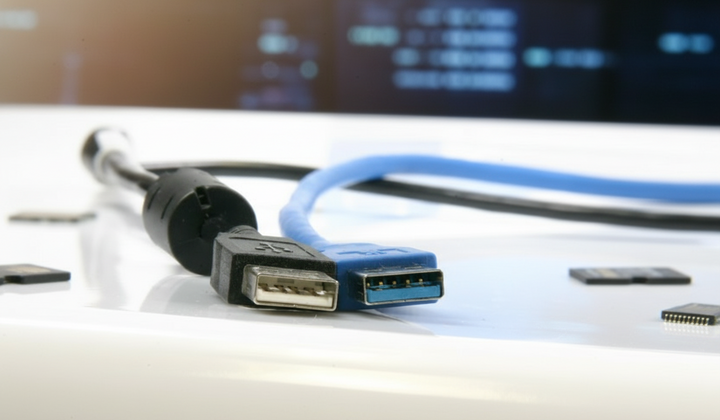
Despite the external similarities of all USB ports, their specifications can vary significantly even on a single device. For example, two identical USB-Cs on the same laptop often have different speeds or power outputs.
According to hvylya.net: A small detail that most users overlook can tell a lot about the technical capabilities of the device. We are talking about the colored insert inside the USB connector - blue, black, red, yellow, or another. According to ZDNET, the color of the connector determines the generation of the interface and the data transfer speed.
Recognizing USB generation by color:
-
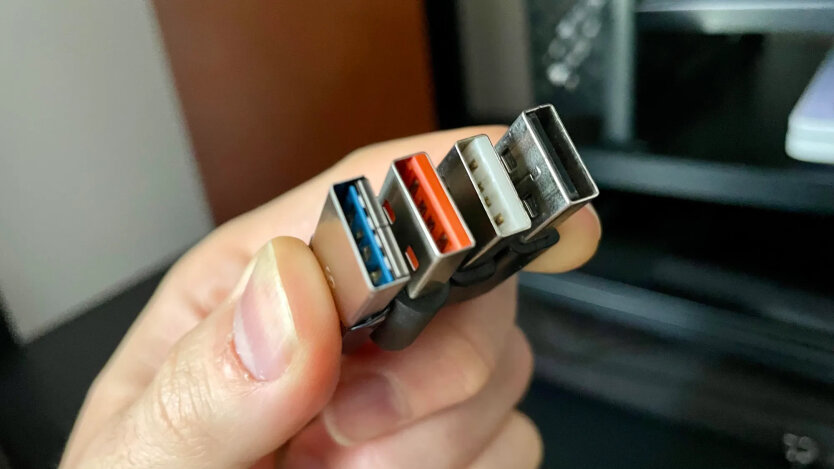
White - the first generation USB 1.x, speed up to 12 Mbps. Used in old devices.
-
Black - USB 2.0, data transfer up to 480 Mbps. Still the most common standard.
-
Yellow - active even when the computer is off, allows charging devices in sleep mode (USB 2.0 or 3.0).
-
Orange - similar to yellow but with support for USB 3.0 and higher speed.
-
Blue - USB 3.0 (SuperSpeed), up to 5 Gbps. The most well-known color of modern laptops.
-
Aqua - USB 3.1, speed up to 10 Gbps.
-
Red - USB 3.1 Gen 2 / USB 3.2, up to 20 Gbps, and supports power supply when the PC is off.
Types of USB-C ports:
-
USB 2.0 - up to 480 Mbps;
-
USB 3.x - up to 20 Gbps;
-
Thunderbolt - up to 40 Gbps.
USB 4, the latest standard, is installed on new laptops, providing data transfer up to 120 Gbps and compatibility with all previous generations. Experts recommend carefully considering the color designation when purchasing cables and devices, as it affects speed and power capabilities.
It is also important to remember how to safely clean the smartphone charging port.
Devices with USB ports may differ in the color of the internal insert, indicating their technical specifications. The color designations help users determine data transfer speeds and other functional features, which are important to consider when choosing components and accessories for gadgets.

Read also